












the showroom
If we can build it on our site, imagine what we can build on yours
These interactive website examples are working features, not screenshots. Drag, click, filter and break them. Each one comes with the kinds of business it suits, and every one of them can be built into a hand-coded static site or a WordPress site without slowing it down.
01 / space planner
Storage unit size calculator & room planner
Customers drag their furniture into a unit and see what fits before they book. It answers the question every storage, moving and furniture business hears ten times a day, and it turns a browser into a booking.
Great for
Add items
Roll-up door
Drag items, or tab to one and use the arrow keys. R rotates, Delete removes. This plans floor space only; real units are taller, so boxes stack.
Could your customers plan something before they buy? Rooms, events, pallets, gardens?
Add a planner to my site
02 / before & after
Before-and-after image slider
Nothing sells a transformation like seeing it. Drag the handle across a renovation, a smile, a lawn, or here, a website redesign. It works with photos, and with touch and keyboard as well as a mouse.
Great for
Before
After
Both versions are drawn in HTML for this demo. On your site it would be your own before-and-after photos.
Show off my transformations
03 / quote calculator
Instant quote calculator
Visitors who see a price range are far more ready to book than visitors told to “call for a quote”. A calculator gives the estimate, explains it line by line, and can hand the result to your enquiry form.
Great for
Example Cleaning Co.
Bedrooms
Bathrooms
How often?
Extras
$0
Example prices for a fictional company, to show how a calculator works. Yours would use your own pricing rules.
Have a pricing formula in a spreadsheet? That is usually all we need to build one.
Put my pricing online
04 / recommendation quiz
Guided recommendation quiz
When customers do not know which package, product or treatment they need, a few friendly questions get them there, with the reasons spelled out. It is the conversation your best salesperson has, available at 2 a.m.
Great for
Find the right plan for your lawn (example lawn-care company)
Quizzes can also tag the lead, so you know what someone wants before you call them back.
Build a quiz for my business
05 / image hotspots
Interactive image hotspots
Turn one picture into a guided explanation. Tap a marker to learn about that part. Here it explains the SEO panel of the free WordPress plugin our team built; on your site it could be a product, a floor plan or a menu.
Great for
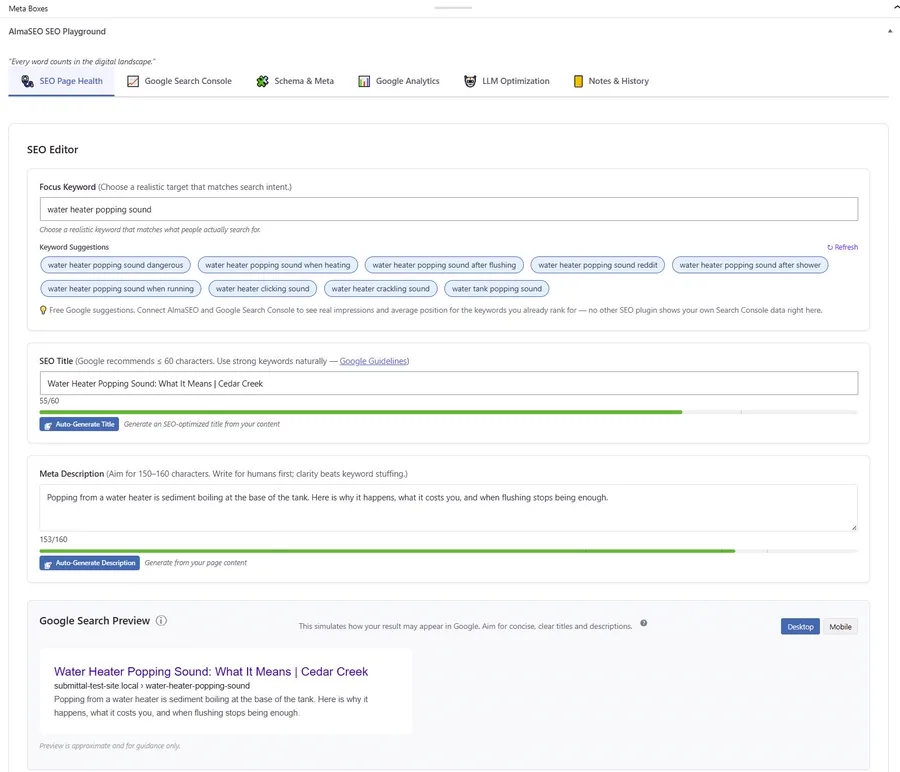
Curious about the plugin itself? It is free: see the WordPress SEO plugin.
Explain my product this way
06 / 360° viewer
360-degree product viewer
Let shoppers turn a product around as if it were in their hands. This jar is built entirely in code, so it stays sharp at any size; for real products, the same viewer spins through a sequence of 24 to 72 photos taken on a turntable.
Great for
0°
Need the photos too? A turntable shoot is a short job, and we can arrange it.
Add 360° views
07 / timeline
Interactive timeline
History, milestones and awards read better as a story you can step through. This one is ours: WebStuffGuy since 2007. Filter it, click a year, or use the arrow keys.
Great for
Your story, your project stages or your client journey can work the same way.
Tell my story this way
08 / gallery
Searchable, filterable gallery
Big portfolios are only useful if people can find the part they care about. Filter by category, search by word, and open any image full screen. These are screenshots from our own guides; yours could be projects, products or properties.
Great for
Galleries like this can update themselves from a spreadsheet or a folder of photos.
Organize my portfolio
09 / location finder
Interactive location finder
For businesses with more than one location, “which one is nearest me, and does it have what I need?” is the question. Type a town around Atlanta, or share your location, then filter by feature.
Great for
Schematic map, not to exact scale
“Example Storage” is fictional; the towns are real. Your location, if you share it, never leaves your browser. A live version can use real driving directions and opening hours.
Each location can also get its own page, which is how multi-location businesses rank in every town.
Local SEO for multiple locations
10 / guided tour
Guided portfolio walkthrough
A screenshot says what a site looks like. A guided tour says why it was built that way. Step through the design decisions on our own homepage, then explore it freely with drag, scroll and pinch zoom.
Great for
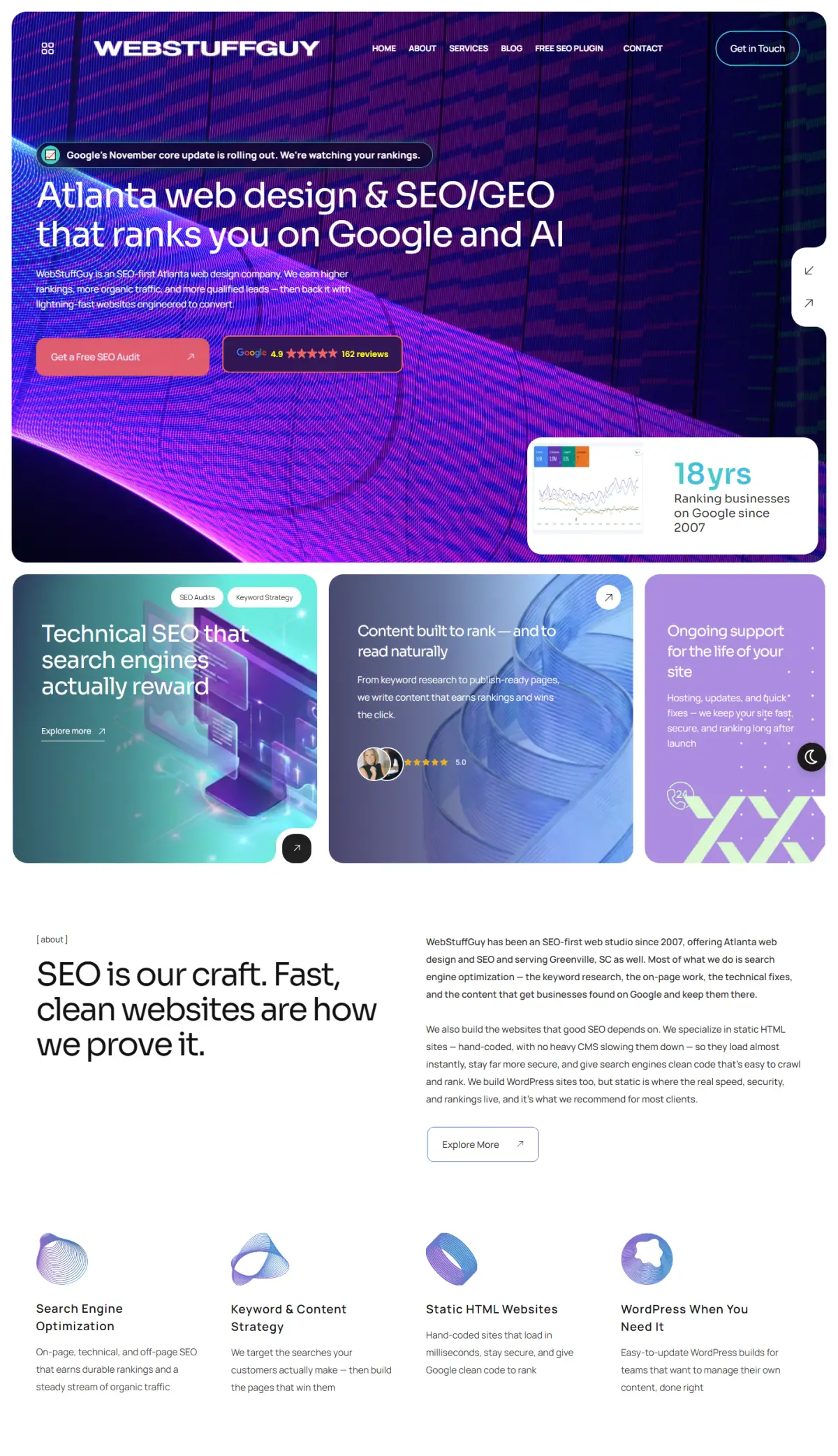
Want your own work presented like this, or a tour that onboards your customers?
Plan my project
why it matters
Why add interactive features to a business website?
Most small-business websites ask visitors to read, then call. Interactive features let them get an answer first: a price, a size, a recommendation, the nearest location. People who have already got something useful from your site are far more ready to get in touch, and they arrive knowing what they want.
- More enquiries from the same traffic. A quote calculator or quiz turns a browser into a lead, with their answers already filled in. Pair it with SEO and the traffic grows too.
- Fewer repetitive questions. “What size unit do I need?” and “Which plan is right for me?” get answered at 2 a.m. without a phone call.
- Content worth linking to. Useful tools earn links and repeat visits, which helps local rankings over time.
- No speed penalty when built properly. Everything on this page is plain JavaScript that loads only when you scroll to it. Run any site through our website health check to see why that matters.
Tools for your own website
Built the same way, and genuinely useful: check your site, weigh up a redesign, or work out what SEO could be worth.
Website Health CheckA real Google Lighthouse test of any page: speed, accessibility, SEO and best practices.Open →
Website Redesign ChecklistEight questions on whether your site needs fixes, SEO work or a full redesign.Open →
SEO ROI CalculatorWhat more organic traffic could be worth in leads, customers, revenue and profit.Open →
Website Cost CalculatorAn editable, multi-year comparison of what each kind of site costs to own.Open →
Website Project PlannerBuild your ideal site step by step and send us the brief in one go.Open →
Our Web Design & SEO ProcessAn interactive map of a website build and an SEO engagement, stage by stage.Open →
Seen something you want on your site?
Every feature here can be built into a static or WordPress site, styled to your brand and wired into your enquiry form. Need something bigger, like a customer portal or an integration? That is our custom software development.
questions
About interactive features
Usually, yes. Most of these are self-contained pieces of JavaScript that drop into a page without changing the rest of the site, whether it is a static site or WordPress. We will look at the site and tell you what is involved.
They do not have to. Everything on this page is written in plain JavaScript with no third-party libraries, and each demo only starts when you scroll near it, so the page loads like any other. Heavy widgets and plugin bundles are what slow sites down.
Yes. The answers can go straight into your enquiry form, so the lead arrives with the visitor’s choices already filled in. Our own project planner and redesign assessment work exactly this way.
Indirectly. A useful tool earns links, keeps people on the page and gives them a reason to come back. What matters for search is that the explanatory text around it is real HTML that search engines can read, which is how we build them.