












You manage your own Google Business Profile — the listing that appears in Google Maps and in the panel beside your search results. Until 2021 it was called Google My Business, and plenty of the emails still use the old name. Then a message lands with this subject line:
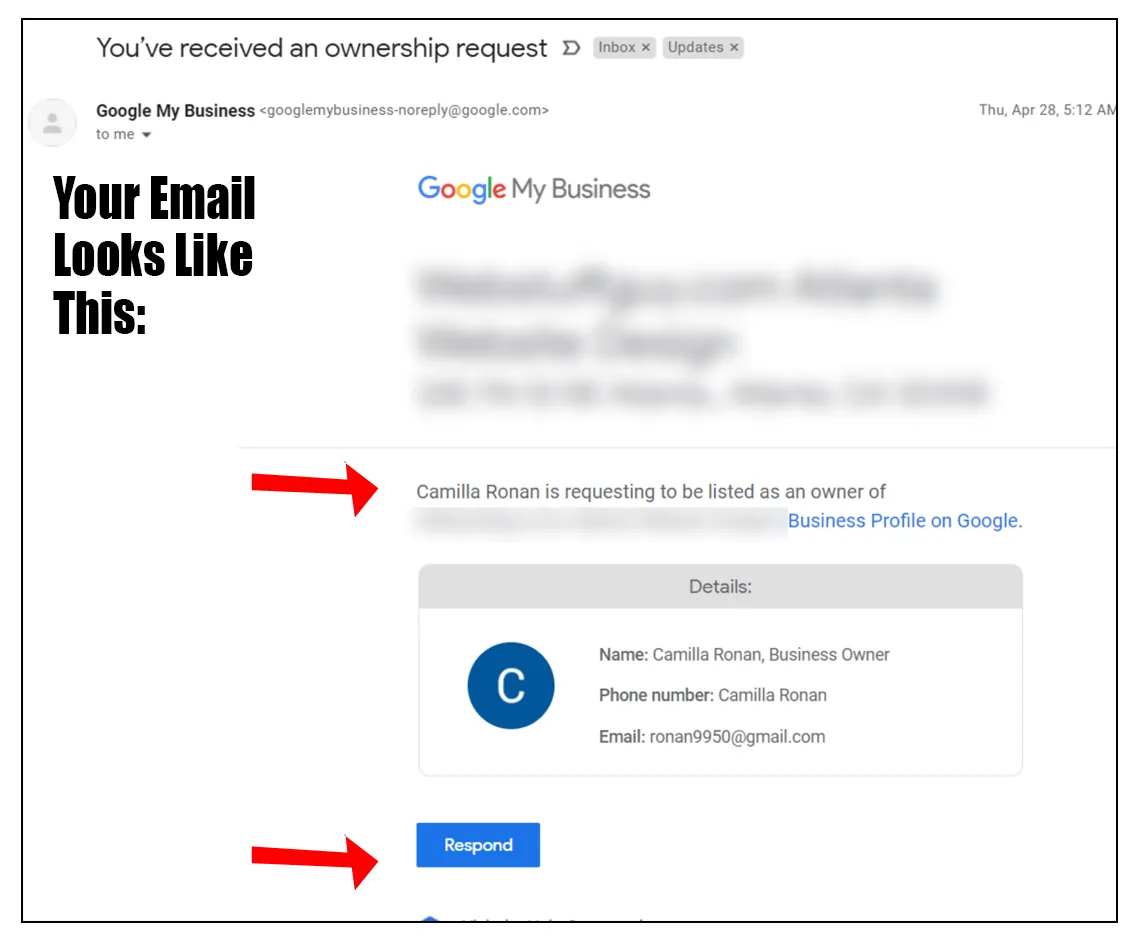
You’ve received an ownership request
Someone you have never heard of is asking Google to make them an owner of your business. If you do not know them, treat it as an attempted hijack. And do not ignore it, because ignoring it is exactly what they are counting on.
Why Google lets anyone ask
It seems absurd that a stranger can request ownership of your listing, but the tool exists for good reasons. We manage a lot of Business Profiles for clients, and we use it ourselves:
- When a business is sold, the listing has to pass to the new owner along with the website and the phone number.
- When the person who set the profile up has moved on — an ex-employee, a former agency — and nobody can log in any more.
- When a business has closed but its old listing still shows at an address someone else now occupies.
In each case the request goes to the current owner, who approves or denies it. The trouble is that the same process is open to anyone.
What the scammer is hoping for
The request only works if you do not answer. If the current owner fails to respond in time, Google may let the requester verify the business themselves and take control. They are betting that you rarely check the inbox the profile is tied to.
Why would anyone want your listing?
- To hold it for ransom, and charge you to get it back.
- To change the phone number and website so your calls go to them — common in trades where a single call is worth a lot of money.
- To sabotage a competitor that is outranking them, by editing the listing or marking it closed.
You may only have a few days
When we once made a legitimate request for a client’s profile, Google’s confirmation told us that if the owner did not respond within 3 days, we might be able to verify and gain access. That is the window a scammer is waiting out.
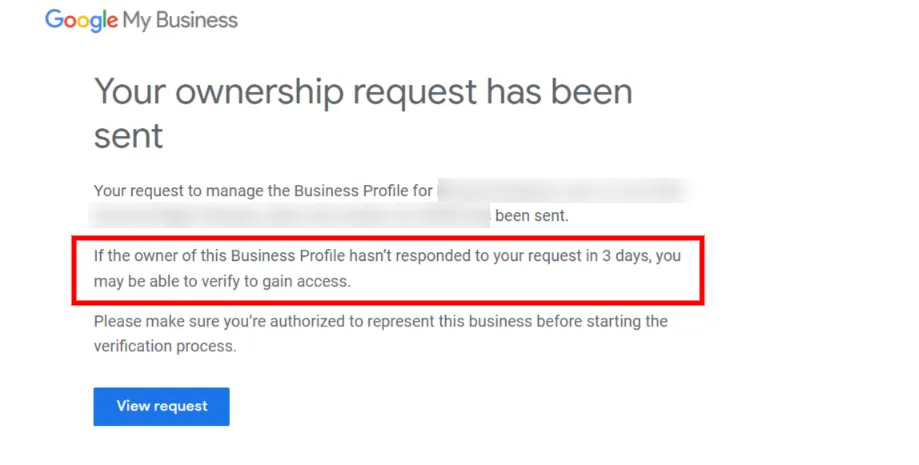
Google adjusts this process from time to time, so check Google Business Profile Help for the current rules — but treat any request you did not expect as urgent.
How to deny the request
- Open the email and click Respond. Check first that it genuinely came from Google — the sender should be an @google.com address. If in doubt, sign in to your Business Profile directly instead of clicking anything.
- Choose Deny. There is space for a message to the requester. You do not have to write anything.
- Check nothing else has changed. While you are signed in, look over the phone number, website and hours, and make sure the listing has not been marked closed.
You cannot stop people sending requests. They can send as many as they like, and each one has to be denied. If it keeps happening, report it through Business Profile Help.
How to make sure you never lose your profile
- Sign in regularly. Beyond ownership requests, anyone can suggest edits to your listing — including marking it permanently closed. Checking in lets you catch those before they stick.
- Tie it to an email you read every day. The most common way owners lose a profile is that it was set up years ago on an address nobody checks any more.
- Add a second owner or a manager. A trusted colleague, or your agency, gets the same alerts, so a request cannot slip past while you are away.
If you would rather someone else kept an eye on it, looking after Business Profiles is part of our local SEO work.
Scams come in all shapes
From fake domain renewal notices to emails threatening to sue over the photos on your website, small business owners get a steady supply of this. Slow down, check who really sent it, and when in doubt ask someone before you click or pay.